日语 AI 对话演示幻灯片
Prompt
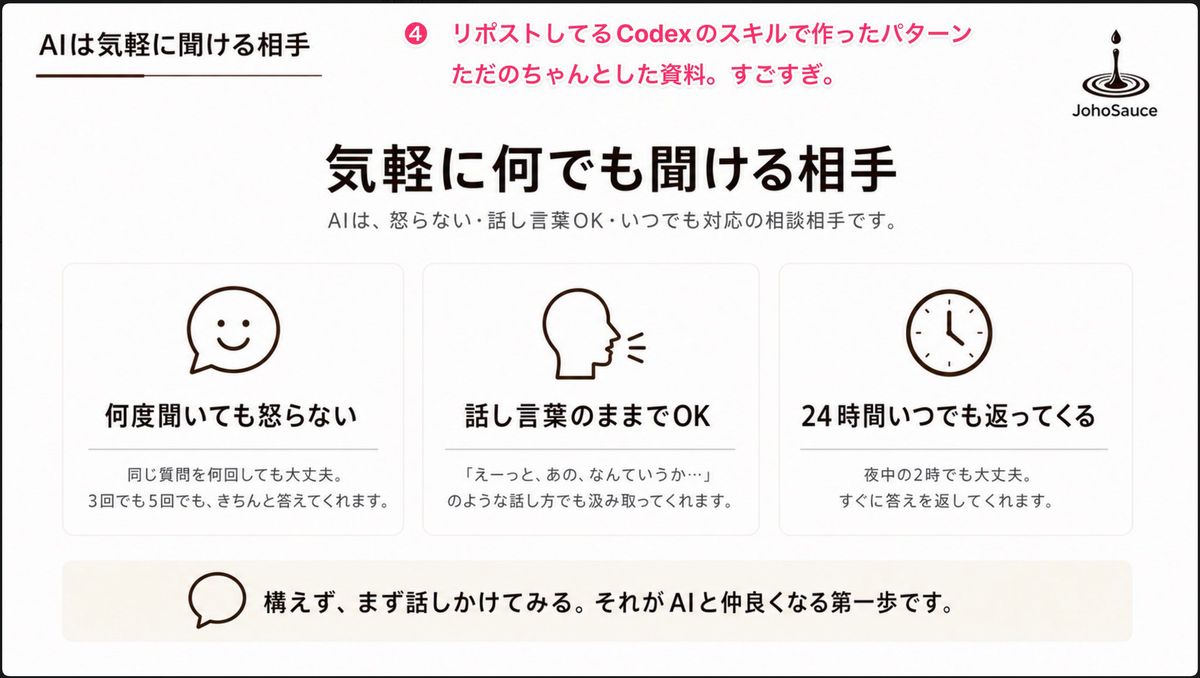
Goal: Create a clean Japanese presentation slide about AI as an approachable conversation partner, in a polished PowerPoint-style corporate/educational layout.

Canvas: 16:9 widescreen slide, white background with very subtle warm beige accents, thin black outer border, generous margins, minimalist and calm.

Header: Top-left small section title in Japanese: 「AIは気軽に聞ける相手」 with a short thin brown underline beneath it. Near the top center-left, add a pink circular badge containing 「4」 followed by pink annotation text: 「リポストしてるCodexのスキルで作ったパターン ただのちゃんとした資料。すごすぎ。」 Top-right place a simple black JohoSauce-style logo: a droplet falling into ripple rings, with the word 「JohoSauce」 underneath.

Main title area: Centered large bold Japanese headline: 「{argument name="main headline" default="気軽に何でも聞ける相手"}」. Beneath it, smaller gray subtitle: 「AIは、怒らない・話し言葉OK・いつでも対応の相談相手です。」

Main content: Use exactly 3 equal rounded rectangular cards in one horizontal row, each with a thin light-gray border, white fill, soft shadow, and centered dark-brown line icon at the top. Card 1 icon: smiling chat bubble. Card 1 title: 「何度聞いても怒らない」. Card 1 body: 「同じ質問を何回しても大丈夫。\n3回でも5回でも、きちんと答えてくれます。」 Card 2 icon: side profile head speaking with two short sound lines. Card 2 title: 「話し言葉のままでOK」. Card 2 body: 「『えーっと、あの、なんていうか…』\nのような話し方でも汲み取ってくれます。」 Card 3 icon: simple analog clock. Card 3 title: 「24時間いつでも返ってくる」. Card 3 body: 「夜中の2時でも大丈夫。\nすぐに答えを返してくれます。」 Use exactly these three cards and no additional cards.

Bottom message bar: Add one wide pale beige rounded rectangle spanning most of the slide width. On the left inside it, place a simple outlined speech-bubble icon. To the right, bold Japanese message: 「{argument name="bottom message" default="構えず、まず話しかけてみる。それがAIと仲良くなる第一歩です。"}」

Visual style: Minimal Japanese business deck aesthetic, black and dark brown typography, pink accent only in the top annotation, simple monoline icons, lots of whitespace, balanced alignment, crisp vector-like rendering, no photos, no gradients except extremely subtle warm background shading, no extra decorative elements.- Category
- Charts & Infographics
- Model
- GPT Image 2
- Creator
- もりた@なごや
- Source ID
- 25058
- Published
- Jun 10, 2026
Views0