17

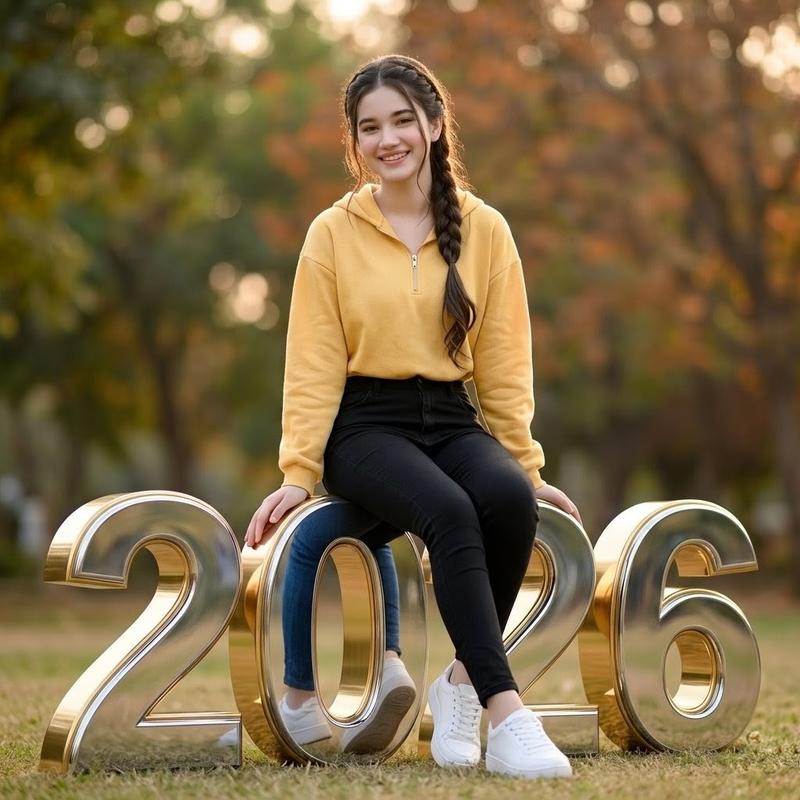
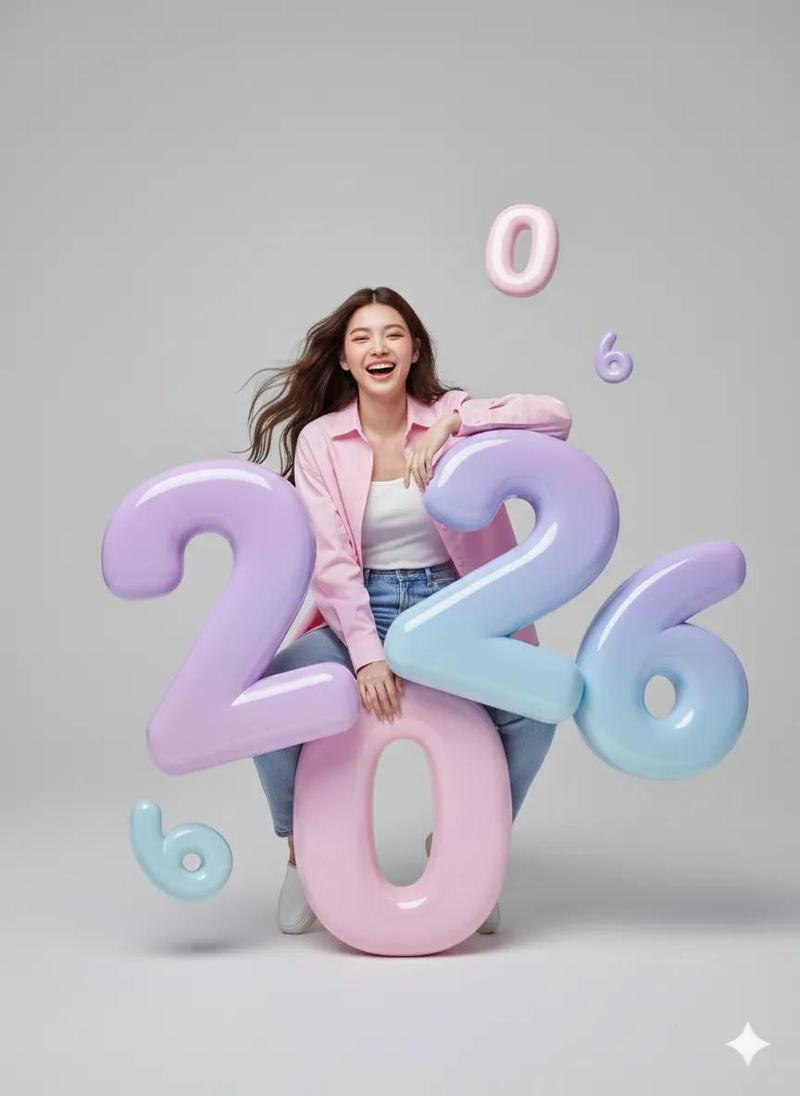
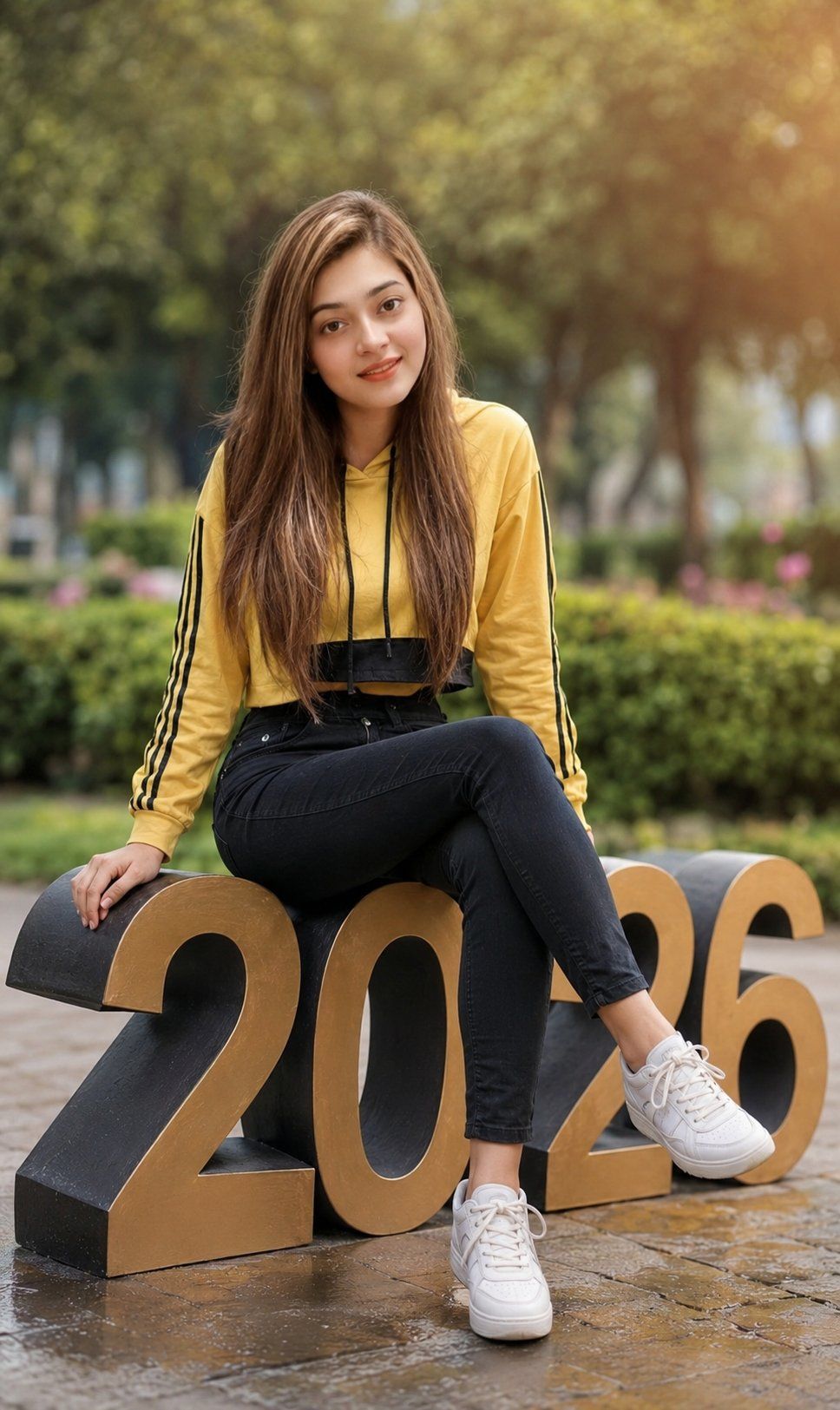
女大学生坐在 2026 数字上
Enlarge

女大学生坐在 2026 数字上

Prompt
Create an ultra-realistic vertical DSLR portrait of a young college girl sitting on oversized freestanding 3D numerals spelling {argument name="year text" default="2026"} in a beautiful park. She is centered in frame, seated casually across the top of the numbers with one leg crossed over the other, one hand resting on the left side of the large “2,” and both white sneakers visible near the front. Preserve the subject as a photorealistic college-age woman with long straight light-brown hair falling over her shoulders, a natural smile, and relaxed confident posture. Outfit: {argument name="top" default="yellow cropped hoodie with black drawstrings and black side stripes on the sleeves"}, {argument name="pants" default="black skinny jeans"}, and {argument name="shoes" default="white lace-up sneakers"}. The 3D text should have exactly 4 large digits, “2,” “0,” “2,” and “6,” with warm gold front faces and dark black side depth, placed on wet stone paving with subtle reflections. Background: lush green park with trees, hedges, and faint pink flowers, heavily blurred with shallow depth of field. Lighting: soft daylight with warm cinematic sun flare from the upper right, realistic highlights, natural skin tones, and gentle contrast. Camera look: 85mm lens, shallow depth of field, bokeh, photorealistic, ultra-detailed, 8K, portrait orientation, no extra text, no watermark, no additional people.
Category
Photography & Realism
Model
GPT Image 2
Creator
Ayesha
Views0
Source ID
26255
Published
Jun 19, 2026

Guide

About "女大学生坐在 2026 数字上"

What is this prompt for?

"女大学生坐在 2026 数字上" AI image prompt for GPT Image 2 (Photography & Realism). 一张照片级写实的公园肖像,一位穿着休闲装的女大学生坐在巨大的 3D 2026 数字上,非常适合毕业或新年主题的编辑。 Copy it on Picva and recr…

The full copyable prompt and example visuals above are ready for AI image generation or one-click recreate in Picva.

How to use this prompt

  1. Step 1

    Open the prompt detail

    Review the example visuals, category, and full prompt text for "女大学生坐在 2026 数字上".

  2. Step 2

    Copy the prompt

    Copy the prompt body from this page, or load it directly in Studio.

  3. Step 3

    Pick a model (GPT Image 2)

    Prefer GPT Image 2. If you switch models, keep subject and composition and tweak style terms.

  4. Step 4

    Generate and export

    Recreate the look in Picva, or export into your workflow for editing and publishing.

FAQ

What is the "女大学生坐在 2026 数字上" prompt?
It is an AI image-generation prompt for GPT Image 2 in the Photography & Realism category. This page includes the full prompt text, example visuals, and a one-click recreate path in Picva.
How do I use this prompt to generate an image?
Copy the prompt from this page, or use Generate / Studio. Paste it into a compatible image model, or recreate the look in Picva with optional reference images.
Which model is this prompt for?
This page lists GPT Image 2. Most descriptive prompts also transfer to nearby image models such as GPT Image, Flux, or Midjourney with light style tweaks.
Can I use the result commercially?
You can usually copy the prompt for creation, but commercial use of the final image depends on the model terms, reference-image rights, and the generated content. Follow the source author and platform rules.