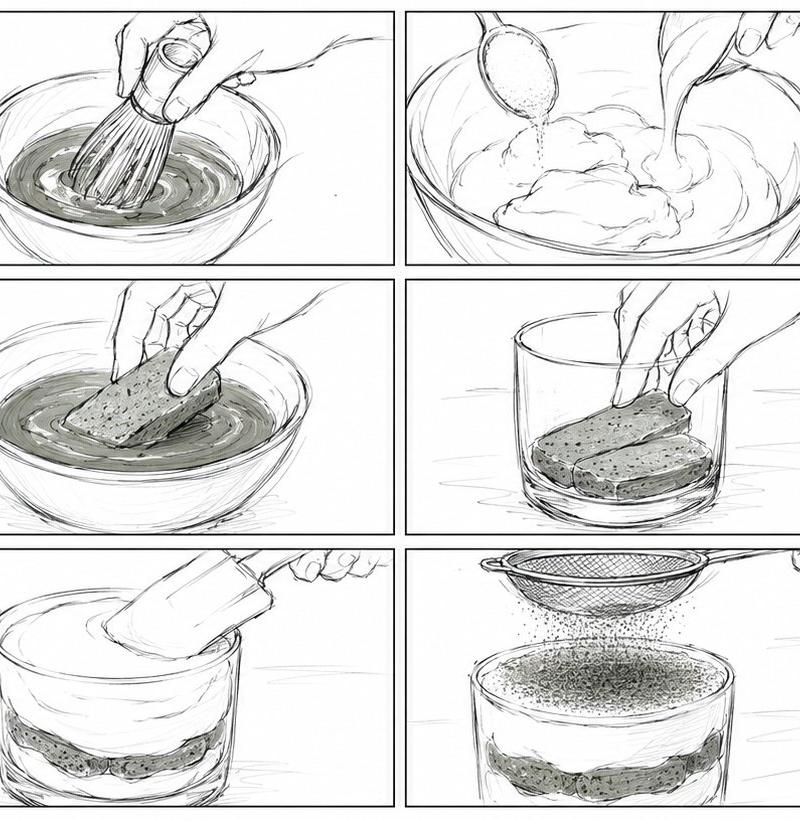
抹茶提拉米苏动画分镜脚本
Prompt
Goal: Create an ultra-rough pencil storyboard for a {argument name="video duration" default="9-second"} Japanese 2D anime-style dessert cooking short video about making {argument name="dessert name" default="matcha tiramisu"}.

Canvas: Wide cinematic 21:9 horizontal storyboard sheet, white background, thin black panel borders, arranged as exactly 12 panels in a 3-row by 4-column grid. Use loose hand-drawn graphite pencil lines, sketchy construction strokes, minimal shading, a few muted pale green matcha accents, and no polished coloring.

Layout and panel count: Show exactly 12 discrete storyboard panels, left to right, top to bottom:
1. A kettle pours hot water into a small bowl of matcha powder on a kitchen counter; a whisk lies nearby and a small jar sits in the background.
2. Close-up of a hand whisking matcha in a bowl, circular motion lines visible.
3. Two spoons add creamy mascarpone or cream into a large mixing bowl.
4. A spatula folds the cream mixture in a large bowl, smooth sweeping motion lines.
5. Mise-en-scène wide shot: glass dessert cup centered, tray of sponge fingers on the left, small bowl of matcha on the right, kitchen tools in the background.
6. Hand dips one rectangular sponge finger into the matcha liquid inside a shallow bowl.
7. Hand places matcha-soaked sponge fingers into the bottom of a clear cylindrical glass cup.
8. A spoon drops a mound of cream onto the sponge layer inside the glass.
9. Hand adds another soaked sponge finger layer on top of the cream in the glass.
10. Spatula smooths a thick top layer of cream in the glass, showing layered sponge and cream through the transparent side.
11. A mesh sieve dusts matcha powder evenly over the top of the dessert.
12. Final beauty shot: completed matcha tiramisu in a clear round glass with three visible layers, green matcha dusted top, placed on a napkin with small leaves and a bamboo whisk nearby.

Visual style: Japanese 2D anime production storyboard, rough pencil animatic look, monochrome line art with subtle green-gray matcha shading, dynamic hands and utensils, expressive motion arcs, clean rectangular framing, light tabletop perspective, soft food-prep atmosphere.

Text content: No captions, no dialogue, no panel numbers, no watermarks.

Constraints: Keep the drawing intentionally rough and storyboard-like, preserve the exact 12-panel grid, maintain the 21:9 aspect ratio, focus on cooking actions and ingredient layering, and avoid photorealism.- Category
- Photography & Realism
- Model
- GPT Image 2
- Creator
- オズ
- Source language
- en
- Source ID
- 27294
- Published
- Jun 30, 2026
Views0