超逼真镜面自拍提示词,包含详细解剖结构
Prompt
{
  "subject": {
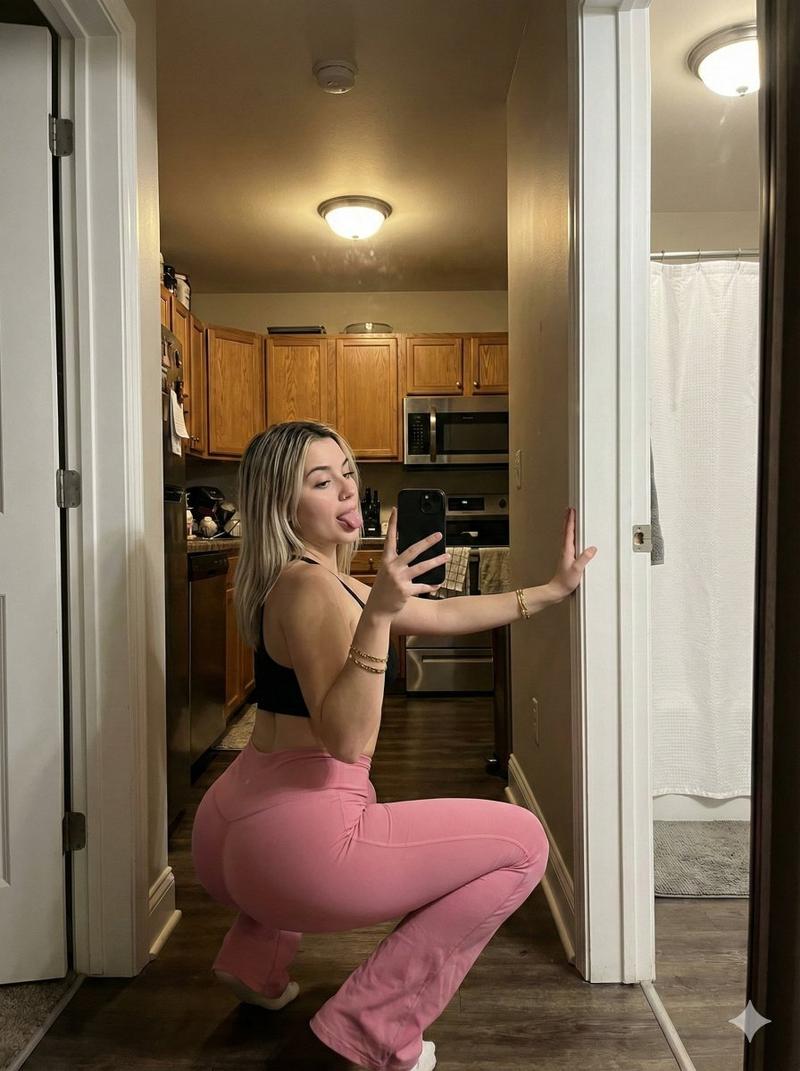
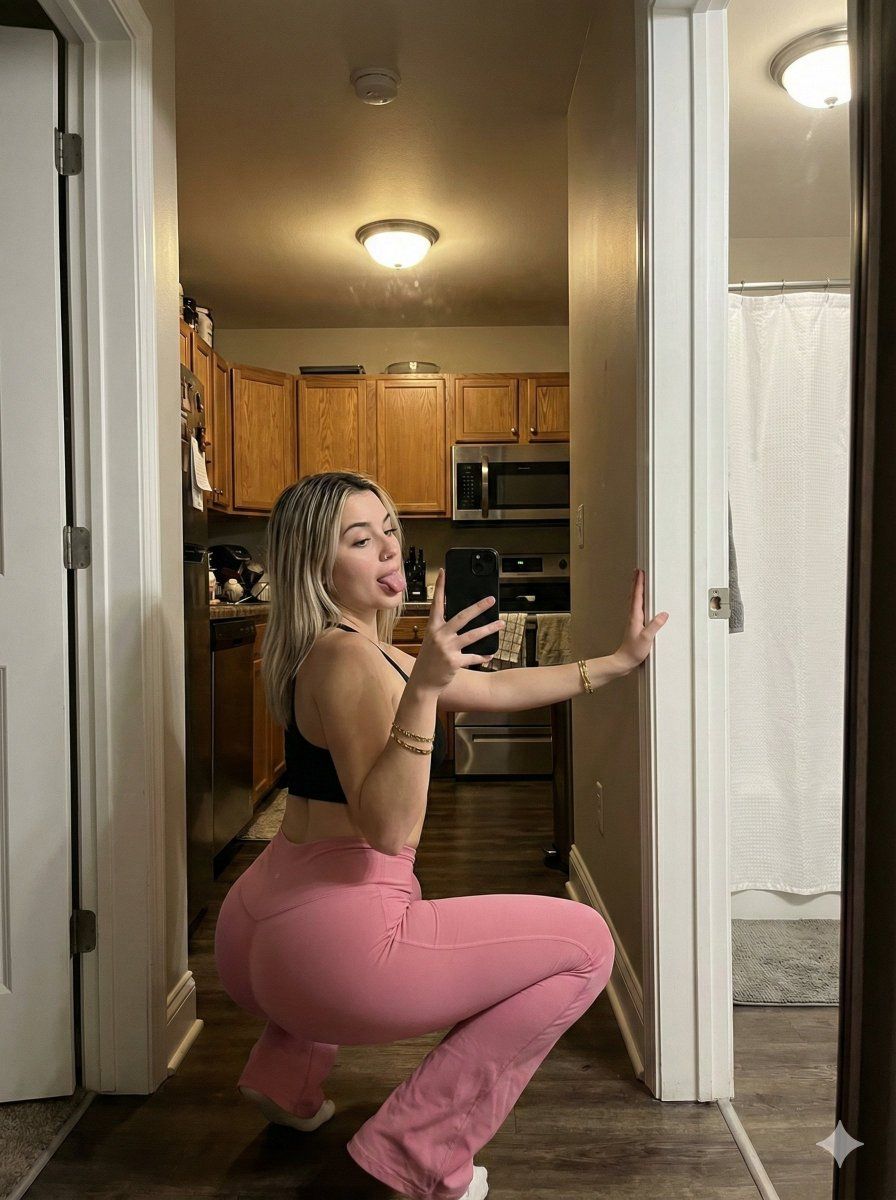
    "description": "Young woman with blonde hair, dark roots, taking a mirror selfie. She is wearing a black sports bra and pink flared leggings. She has gold bracelets on her left wrist and is holding a black smartphone in her right hand. Her nails are painted dark. She is looking back over her shoulder with her tongue sticking out.",
    "anatomy": {
      "body_proportions": "Exact match to reference image, prominent buttocks, full bust, curvy figure.",
      "skin_texture": "Realistic skin texture, pores, minor imperfections, visible subsurface scattering.",
      "hair_details": "Blonde, shoulder-length hair, slightly wavy, with dark roots visible."
    },
    "clothing": {
      "top": "Black sports bra with thin straps.",
      "bottom": "Pink high-waisted flared leggings with a ruched back seam."
    },
    "accessories": "Several gold bracelets on left wrist, small earrings.",
    "phone": "Black smartphone held in right hand, screen facing away."
  },
  "pose": {
    "description": "Squatting low with her back to the mirror, twisting her torso to look back over her left shoulder. Her right hand holds the phone for the selfie, and her left hand is placed against the white door frame for support. Her legs are bent deeply, with her feet flat on the floor.",
    "facial_expression": "Looking back with tongue out, playful expression.",
    "gaze_direction": "Looking towards the phone's camera in the mirror reflection."
  },
  "environment": {
    "location": "Apartment hallway and kitchen area.",
    "foreground": "Wooden floorboards, white door frame, the mirror itself (visible edge).",
    "background": "White walls, open doorway leading to another room, kitchen area with cabinets, microwave, and stove in the distance.",
    "objects": "White shower curtain visible in the room behind the doorway.",
    "details": "Standard apartment lighting fixtures, light switch on the wall."
  },
  "camera": {
    "type": "Mirror selfie taken with a smartphone.",
    "perspective": "First-person perspective from the phone's camera in the mirror reflection.",
    "angle": "Slightly downward angle, capturing the entire body and immediate surroundings.",
    "focal_length": "Wide-angle smartphone lens.",
    "depth_of_field": "Deep depth of field, everything from the subject to the background kitchen is in focus.",
    "framing": "Vertical composition, capturing the woman from head to toe."
  },
  "lighting": {
    "type": "Indoor overhead lighting.",
    "source": "Ceiling lights in the hallway and kitchen.",
    "quality": "Warm, slightly diffused indoor light.",
    "shadows": "Soft shadows cast by the woman and objects on the floor and walls.",
    "reflections": "Clear reflection in the mirror, including the light sources."
  },
  "mood_and_expression": {
    "mood": "Casual, playful, confident.",
"expression": "Tongue out, looking back at the came"- Category
- 创意图片
- Model
- Nano Banana Pro
- Creator
- Jessia
- Source ID
- 4f5d19e8-f8a7-4dc2-b564-46d12123109a
- Published
- Mar 8, 2026
Views0